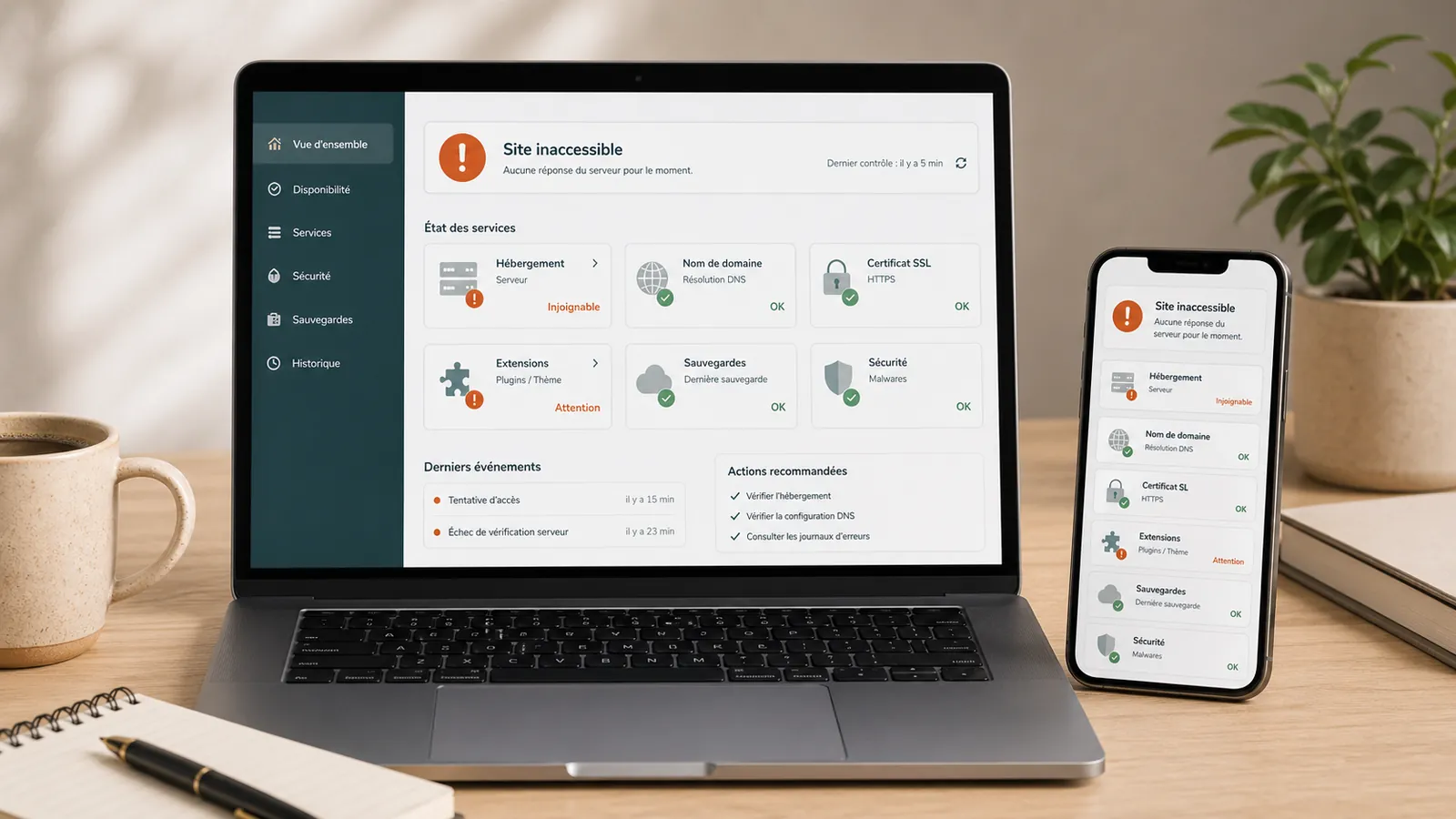
WordPress website unreachable: what to do before you call someone?
WordPress website unreachable? What to check before acting: hosting, domain, SSL, updates, plugins, backups and signs of hacking.
Read the articleWordPress emergency support
Blank page, critical error, form that no longer leaves, lost access, blocking of the hosting provider or unexplained redirection. The priority is to identify the symptom, keep track of the current state, and then choose the first useful gesture. Send us the address and the symptom: first return in a working day.
The first few minutes
Unverified restoration or deletion of files may complicate the diagnostic review. Keep the clues before changing the site.
Don't restart all the updates to see if it's going on: you add variables to a problem that no one has yet qualified.
Do not delete a suspicious file without keeping a copy of the current state, even if it has a name that tells you nothing.
Do not restore a backup without knowing whether it was before the problem and whether it is healthy. A restoration also erases the traces that explain the breakdown.
Keep hosting provider messages, Google alerts, affected addresses and screenshots. They help understand the incident.
Note the last known action before the failure: update, new plugin, migration, change of DNS, intervention of a service provider. This context helps guide audits.
Symptoms, risk, first move
A blank page can come from PHP, a plugin or hosting. A silent form is often a problem with sending mail. A redirect can report a hack, or a simple configuration error. Here are the most common cases.
Risk of hacking or conditional redirection, active only from Google or mobile. Record the affected addresses and from which device you saw them. If hacking is confirmed, it is dedicated cleaning that takes over, with a different method.
The site is reported as dangerous, or the account is suspended for malware. Keep the exact message and list of files if there is one: it is this document that will tell the hosting provider or Google what has been fixed, and without it the reopening drags.
Conflictdplugin, incompatible theme, version of PHP changed by hosting provider, update interrupted during the course of the journey. Note the last change and avoid random testing directly on the online site: each attempt blurs the track a bit more.
Visitors write, messages don't happen, and nothing appears in error. Such requests can be lost without visible warning. We test the form, send mail, the SMTP configuration and the anti-spam, and then we monitor the following mailings.
Unusable administrator account, hosting or domain name in the name of an old service provider, recovery address that no longer exists. We list what is missing and what proves that the site belongs to you, then we recover the access details in order: domain, hosting, WordPress.
Cutting for abnormal resources, sending spam or suspicious files detected by their scan. We prepare what the hosting provider asks for to reopen, and first we check whether the blocking is the cause of the problem or only its consequence.
In detail
A WordPress emergency can be settled within an hour or ask for several days. The right commitment is to assess quickly and to intervene properly. Promising a repair before you see the site would be lying.
First, keep the clues with these five checks.
This table does not replace a diagnostic review. It is used to avoid mishandling in cases that come back most often.
| Symptoms | Risk | Next action |
|---|---|---|
| The site redirects or displays unknown pages | Hacking, injection, conditional redirection | Keep the affected addresses and go through the dedicated cleaning if hacking is confirmed |
| Google or hosting provider reports malware | Public blocking, loss of confidence, indexed spam pages | Keep accurate messages, do not request review before cleaning |
| Critical error, blank page, inaccessible site | Conflict of plugin, theme, PHP version, interrupted update | Record the last change, retrieve the error log, stop testing in production |
| Form no longer sends messages | Lost requests without visible breakdown, sometimes for weeks | Test the form, send mail, SMTP and anti-spam, then monitor the following mailings |
| The site is slow or intermittently unavailable | Saturated resources, background script, undersized hosting | Raise shutdown hours and messages from hosting provider before changing server |
| Administrator or hosting provider access details are unclear | Resumption impossible, dependence on an old service provider | List domain, hosting, WordPress, emails, backups and proofs of ownership |
These situations need different approaches, and misdiagnosing either wastes time. In both cases, we preserve the available state before risky changes. For a breakdown, we then isolate the component responsible; for a security compromise, we also look for the access and mechanisms that could allow reinfection.
There are three clear indications on the security side: the site behaves differently depending on the visitor (from Google, on mobile, in private navigation), pages that no one has written appear in the search results, or an unknown administrator account appears in the user list. A failure that occurred immediately after an update was directed instead to an incompatibility, without excluding a security incident. In doubt, a copy is kept before changing the site.
A WooCommerce store, multisite installation, sensitive data or a compromised server requires a specific assessment before any work. In these cases, our first response is almost always a question rather than a quote.
To assess quickly, four things are often enough: the site address, the exact message displayed or received, the date of appearance, and the last known action. Indicate the access details you have: WordPress, Hosting, SFTP, Database and Search Console. Do not send a password in the form; their transmission is organised once the intervention has been defined. The rest is verified once connected, and it is not serious that there is a lack of elements: it is even the most common situation.
A specific example helps to understand the breakdown. "The site no longer works" can refer to six different situations. "Since Tuesday morning, all the pages show "A critical error has occurred," the administration too, and the hosting provider has updated PHP Monday night" is processed immediately.
Some emergencies already have their written response. If the site is completely inaccessible, if WordPress displays a critical error, if the screen remains whiteif the form no longer sends anythingif hosting provider has cut the siteif admin access is impossible or if an update has broken everything, these articles detail the checks to be made yourself. A lot of situations are settled without us, and that's very good.
Some of the emergencies are not technical: the site works, but no one can touch it anymore. Former unreachable service provider, domain name registered to its name, recovery email address that no longer exists, hosting paid by debit without anyone knowing where. These situations disentangle, provided to treat the four bricks separately: domain, hosting, WordPress and messaging. Our article on the access recovery list the evidence to be gathered before contacting anyone. And if the backups are not found by the way, it's a subject to deal with before the next failure, not during.
Once the website is stable, further paid work is not always necessary. If the risk is under control, we stop there. If the website is healthy but nobody maintains it, monthly maintenance helps to reduce the risk of new incidents. If the cause remains unclear, a audit is more honest than a subscription launched too quickly. If the site is too old or too fragile, a Targeted recovery becomes more reasonable. For a firm, the law firm website maintenance protect the form and continuity as a priority.
Our method
We keep the messages visible, we note the last change and we make a copy of the current state of the site before any risky action, when access allows. This copy is not only useful in the case of hacking: it allows you to go back if a correction goes wrong.
The symptom is checked on several pages, several devices and out of your network, and then it is resolved: application failure, hosting problem, failure to send mail, lost access or security incident. This is the step that avoids treating hacking as a breakdown, and the reverse.
We're intervening on the identified cause, within a scope you've validated. No general restoration or random block updates: you change one thing at a time, you check, you move on to the next. It's slower to tell and faster to do.
Relevant pages, administration, form, e-mail sending and critical functions are tested after intervention, from outside the site and not only from the dashboard. A site that displays does not prove that a form works.
You receive clear feedback: what was fixed, what remains fragile and what further work would help. Sometimes none is needed, and saying so is part of the job. Any recommended work is quoted separately, so you can decide once the website is stable.
In practice
SEO and marketing
Detection of abnormal behaviors, intervention after infection, cleaning and hardening of a strategic WordPress site for image and acquisition.
Read the case studyLegalTech
A compromised WordPress brochure website: cleanup, rebuilding a clean foundation, reviewing access and relaunching on the existing hosting.
Read the case studyArchitecture
Display fixes and controlled updates on an existing brochure website, without breaking the slider or important pages.
Read the case studyFrequently asked questions
Blocking by hosting provider, critical error, blank page, silent form, lost admin access, unexplained redirection or resumption after incident. If a hack is confirmed, it is the hacked WordPress cleaning page that takes over.
An incident predating our support is scoped separately. During support, we investigate the cause and act within the contract's scope; substantial recovery work is approved with you before starting. Response time is not resolution time.
We can begin assessing the situation, but the work will depend on the access available: WordPress, hosting, SFTP, database, domain, Search Console and backups. If any access is missing, we first help you recover it.
Not necessarily. A backup can be too old, incomplete or already infected, and restore it erases the traces useful for diagnostic review. We first check what it contains, and keep a copy of the current state.
A blank page can result from a plugin, theme, PHP or hosting problem. On its own, it does not tell us whether the content or database is intact. We review the logs and recent changes before making fixes.
Keep the exact message and addresses concerned, then go through the hacked WordPress cleanup. The request for Google's review only leaves once the site has been cleaned and the likely cause identified: the review period depends on Google.
We start by separating what is really at stake: domain name, hosting, WordPress and email addresses are four distinct things, sometimes from four providers. We identify who owns what, we collect the property evidence, then we recover in order. The site can remain online throughout the operation.
We do not advertise on-call cover. Requests are handled on business days, in order of risk: a website redirecting visitors to a scam takes priority over an error on a secondary page.
Explore further
On the blog
WordPress website unreachable? What to check before acting: hosting, domain, SSL, updates, plugins, backups and signs of hacking.
Read the article
Does your website display 'There has been a critical error on this website'? Here is what to check, what to avoid and when to request a diagnostic review before making fixes.
Read the article
Your WordPress form seems to work, but you no longer receive messages? Here is how to distinguish a form, SMTP, domain or antispam problem before changing settings.
Read the article