Hacked WordPress website: what to do without making things worse
WordPress website hacked? What to check, what to avoid and when to request a diagnostic review so cleanup does not make things worse.
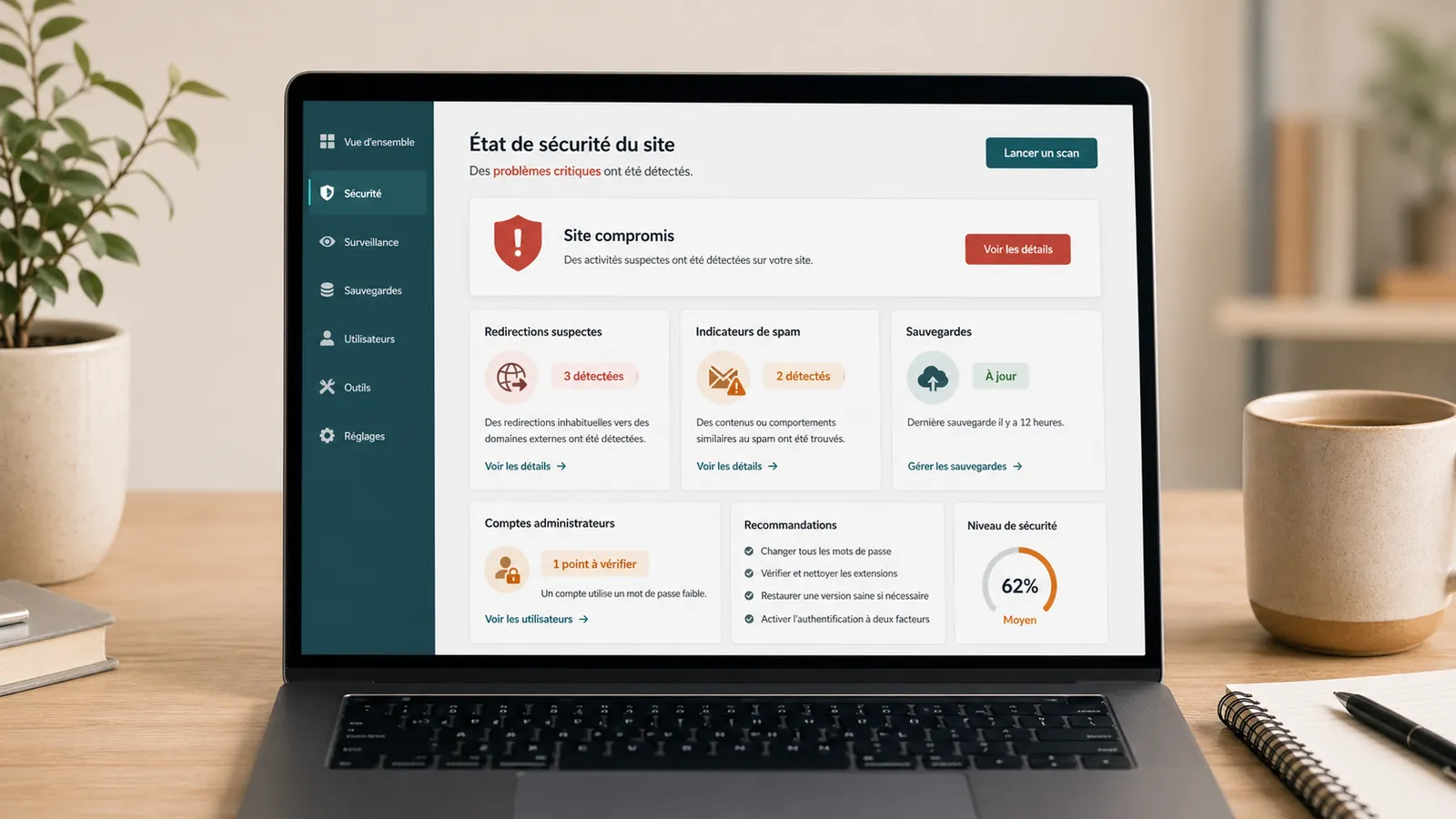
A hacked WordPress site does not always post a great alert message. Sometimes, the site redirects some visitors to another page. Sometimes it sends spam, becomes slow, creates unknown pages in Google or finds itself blocked by the hosting provider.
The natural reflex is to want to remove everything very quickly. It's understandable, but risky. By randomly removing useful traces, overwrite a healthy backup or leave the door open to the same problem.
The aim is to contain the incident, understand it, back up the current state, clean thoroughly and establish ongoing maintenance to prevent reinfection.
If the incident is ongoing, the page WordPress emergency support is used to transmit the URL, visible symptoms and alerts received without losing the elements useful for diagnostic review.
How do I know if a WordPress site is hacked?
Signs are not always visible from your computer. A site may seem normal to you, but redirect some visitors from Google, display unknown pages, send spam or trigger a browser alert.
Other signals need to alert: site very slow suddenly, new admin accounts, modified files, form that sends spam, hosting provider that blocks the site, suspicious messages in the Search Console or strange pages indexed in Google.
A hacked WordPress site can therefore be discreet. That's why we have to look at the whole thing instead of removing only what we see.
What you shouldn't do right now
Do not delete files at random. Do not install several security plugins in emergency. Do not restore a backup without knowing if it is healthy. Do not change all settings without noting what you are doing.
Poor handling can remove useful traces, overwrite a healthy backup or leave the door open to the same problem.
We must also avoid ignoring the hosting provider. If he sent an alert or blocked the site, the information can help understand what has been detected.
Step 1: Limit damage
Start by noting symptoms: redirection, alert, unknown pages, spam, blocking, slowness, suspicious admin access. Also note when you discovered the problem and what has changed recently.
If you think access is compromised, change critical access details with method: admin accounts, hosting, FTP/SFTP, database if necessary. Check unknown admin accounts and avoid changing content unnecessarily during the incident.
If the site is very affected or blocks your activity, the simplest is to ask for a no-obligation diagnostic review. The goal is to understand the emergency level before cleaning.
When the site is already blocked, redirected or reported by the hosting provider, the page hacked WordPress website cleanup allows to send the URL, symptoms and messages received before erasing useful tracks.
Step 2: Check backups
A recent backup is not enough. You need to know whether it is from before the hack, whether it contains the files and database, and whether it can be restored without putting the problem online.
Restoring an infected backup doesn't fix anything. Restore too recent backup can reinstall WordPress malware or lose useful data. Before a major intervention, a copy of the current state must also be kept.
This is one of the reasons why WordPress maintenance with proper monitoring matters: backups must be usable, not merely promised.
Step 3: Understand the likely origin
Frequent causes are known: vulnerable plugin, old theme, WordPress not updated, weak password, forgotten admin account, exposed form, poorly configured hosting or site left unmaintained.
It is often the same land as a WordPress site not maintained. The site works for a long time, and then accumulated weakness becomes visible.
Understanding entry is important. Otherwise, the site can be surface cleaned and hacked again a few days or weeks later.
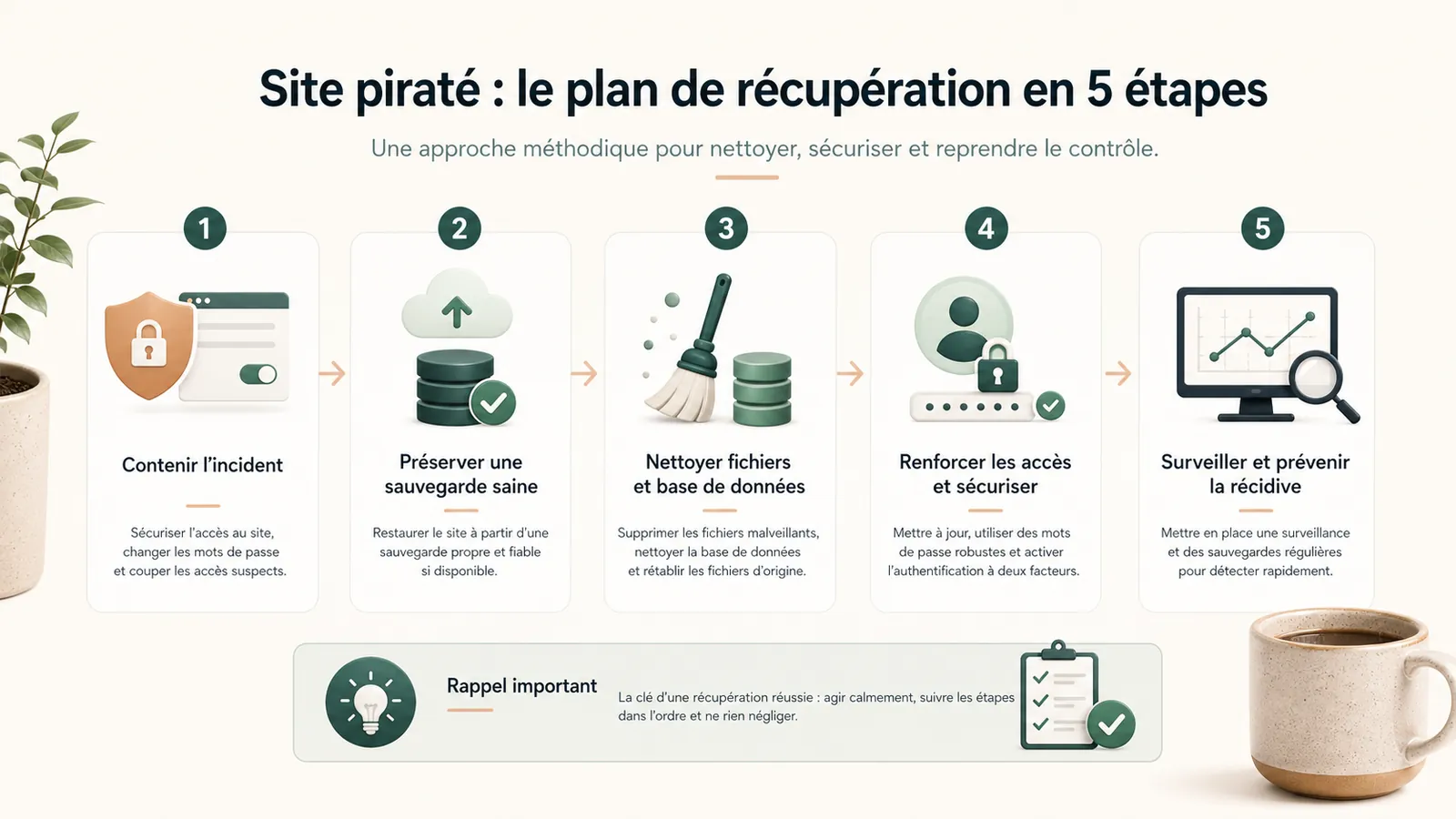
Step 4: clean thoroughly
Cleaning a hacked site involves looking at files, database, accounts, plugins, theme, redirections and access details.
You also need to check planned tasks, suspicious files, unknown accounts, hidden redirections and changes that are not seen from the home page.
A site audit can become useful if the origin is unclear, if the hacking comes back or if the site was already slow, unstable or difficult to maintain.
Step 5: prevent reinfection
After cleaning, regain control: regular updates, verified backups, properly managed admin accounts, changed passwords, removal of unused plugins, monitored hosting and basic monitoring.
Maintenance does not guarantee that an incident will never happen. It reduces the blind angles and avoids leaving the site without responsibility. The article on the WordPress maintenance: the scope of the service explains precisely what a framed follow-up can cover.
When to ask for a diagnostic review
Ask for a diagnostic review if you don't know since when the site is hit, if Google displays an alert, if hosting provider has blocked the site, if administration is inaccessible, if strange redirections appear or if backup is unclear.
Same if hacking comes back after a first cleanup. In this case, a WordPress audit may be necessary to understand the basis of the problem. A security incident may also occur after an unprepared intervention, such as a update WordPress that breaks the site.
Key takeaway
A hacked WordPress site does not settle by deleting only what is seen. You have to understand the entrance, clean up what has been affected, check access and give clear follow-up to avoid recidivism.
Frequently asked questions
How do I know if my WordPress site is hacked?+
Frequent signs are strange redirections, unknown pages in Google, spam sent from the site, a browser alert, unknown admin accounts or blocking by the hosting provider.
Can I restore a backup to clean up a hacked site?+
Yes, but only if the backup is healthy, complete and from before the hack. Restoring an infected or too recent backup can put the problem online.
How to avoid a WordPress site being hacked again?+
It is necessary to maintain WordPress, themes and plugins up to date, remove unnecessary accounts, check backups, use solid access details and keep regular tracking of the site.
Conclusion: clean, then regain control
A hacked WordPress site is not always lost. But we must not simply remove the visible symptom.
If you don't know since when the site is hit, what has been changed or what backup is healthy, start with a no-obligation diagnostic review. You will know whether to clean, restore, audit or return the site under maintenance.
Read next.
WordPress website sending spam: what to check on the server
Has your host reported spam sent from your WordPress website or server? What to check before re-enabling email.
Read the articleMalware files reported: what should you do on WordPress?
Has your hosting provider detected malicious WordPress files? What to check, what to avoid and how to prepare cleanup without making the incident worse.
Read the articleGoogle hacked-site warning: what should you do on WordPress?
Does Google warn that your WordPress website is hacked? What to check in Search Console, what to avoid and how to request a review properly.
Read the article