WordPress blank page: frequent causes and errors to avoid
Does WordPress display a blank page? Common causes, useful checks and mistakes to avoid before making fixes.
A white WordPress page is one of the most destabilizing incidents. The site no longer shows content, sometimes no error message, sometimes only an empty area. The visitor does not understand anything, nor does the owner of the site.
Wanting a quick fix is natural. A blank page can nevertheless have several causes: a plugin, theme, PHP, cache, memory, update or changed file.
The blank page is a symptom: it alone does not identify the blocking.
A blank page does not always mean that the site is lost
A site may display a blank page while the database still exists, files are still present and part of the administration remains accessible. In other cases, the blockage affects the entire site.
It is therefore necessary to first identify the scope: white home page, all blank pages, inaccessible administration, error only on mobile, or problem appeared after a specific action.
It is necessary to understand what prevents WordPress from displaying the page.
Frequent cause 1: a plugin blocks the display
A plugin can cause a blank page after an update, PHP incompatibility, conflict with another plugin or configuration error. The site can then stop before even displaying a clear message.
Removing random plugins is risky. Some manage the form, security, cache, redirects or page builder. Removing them without a method can create other problems.
Frequent cause 2: The theme or page builder is a problem
An old theme, fragile page builder or broken template can prevent content from displaying. This often happens after an update or template change.
Changing the theme immediately can make the visual problem disappear, but also break the structure of the site. Before you do it, you have to check whether the theme really is the cause.
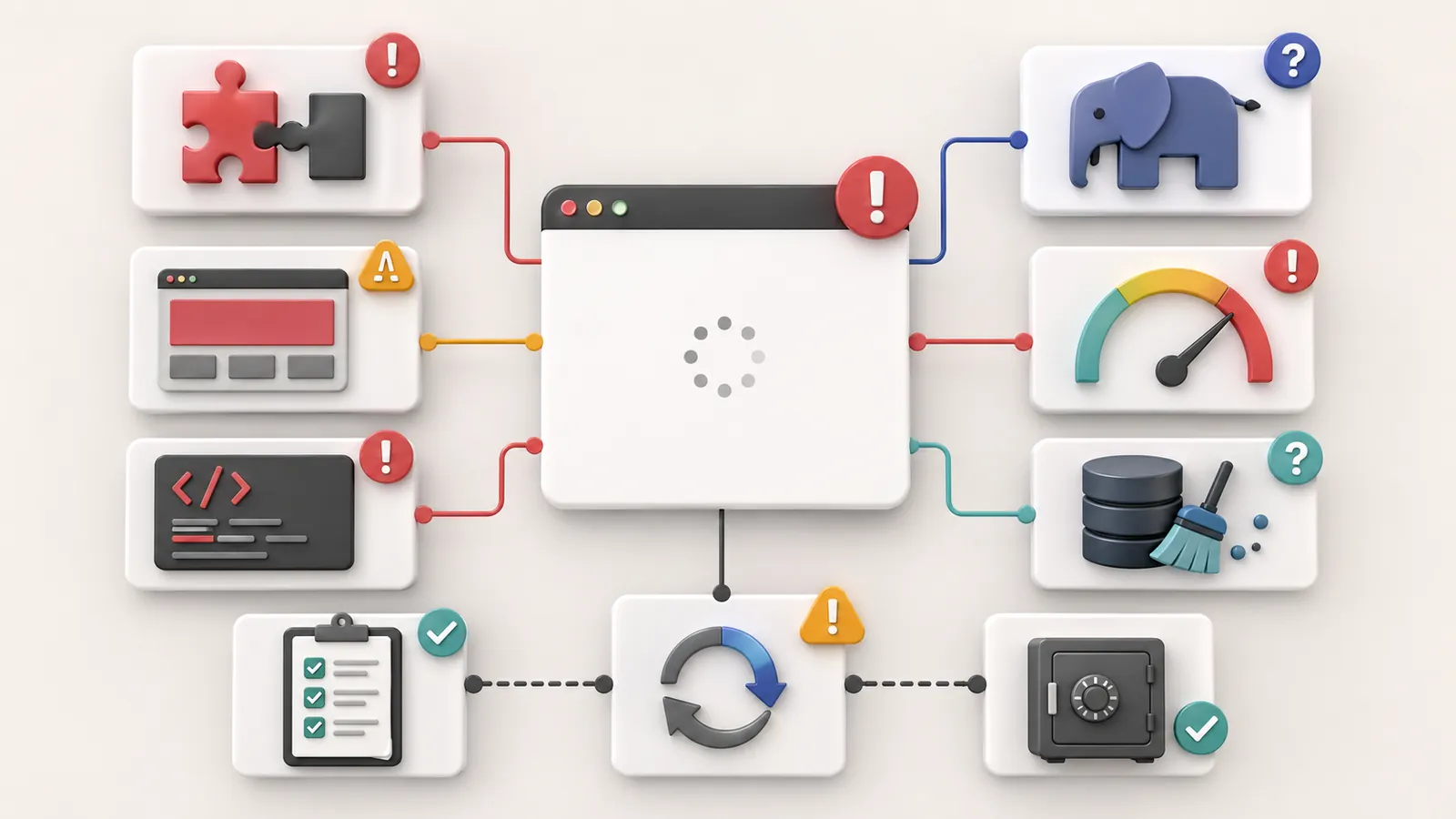
Frequent cause 3: PHP, memory or cache
A blank page may come from a PHP error, a memory limit reached or a cache that serves a broken version. The problem may also arise after a change in the hosting side.
In this case, touching only WordPress may be insufficient. You also need to look at hosting, logs, PHP version and cache mechanisms.
The article on theWordPress critical error covers a near scenario: WordPress blocks, but the real cause must be localized.
What should not be done?
Do not delete several plugins at once. Do not change a theme without backup. Do not restore an old version without knowing what it contains. Do not modify the site files without understanding their role.
If the blank page appeared after a update WordPress that breaks the site, it is necessary to resume the actions in order, not to add other changes.
Useful checks
Check if the WordPress administration is still responding, if all pages are affected, if the problem has arisen after an update, if the hosting provider has sent an alert and if a recent backup exists.
If the WordPress backup not found, the priority becomes to understand what can be recovered before attempting a heavy correction.
When to ask for a diagnostic review
Ask for a no-obligation diagnostic review if the blank page touches the entire site, if the administration is inaccessible, if the problem occurs after an update or if you don't know which backup to use.
The diagnostic review is used to decide whether the problem comes from a plugin, theme, PHP, cache, hosting or a more fragile base.
Key takeaway
Before fixing a blank WordPress page, identify what is preventing it from displaying.
Frequently asked questions
Why does my WordPress site display a blank page?+
A WordPress blank page can come from a plugin, a theme, PHP error, a lack of memory, a cache, an update or a modified file. The blank page is a symptom, not a cause.
What should I do about a blank WordPress page?+
It is necessary to avoid deleting plugins at random. Note what has changed recently, check if the administration remains accessible, check the backups and first look for the cause.
Can a blank WordPress page be caused by an update?+
Yes. An update of WordPress, plugin, theme or PHP may reveal an incompatibility already present on the site.
Read next.
Malware files reported: what should you do on WordPress?
Has your hosting provider detected malicious WordPress files? What to check, what to avoid and how to prepare cleanup without making the incident worse.
Read the article
Hacked WordPress website: what to do without making things worse
WordPress website hacked? What to check, what to avoid and when to request a diagnostic review so cleanup does not make things worse.
Read the articleGoogle hacked-site warning: what should you do on WordPress?
Does Google warn that your WordPress website is hacked? What to check in Search Console, what to avoid and how to request a review properly.
Read the article